
Getting started
Up and running in a minute
Your PC. Your audio. A few simple steps to listen somewhere else.
Download SWYH
Download the latest Windows release. Use the Setup for a standard installation, or the Portable build to run SWYH without installing it.
Choose your audio source
Select the Windows audio device you want SWYH to capture.
Choose a renderer
SWYH automatically discovers compatible UPnP/DLNA devices on your local network.
Press Play
Select a device and start streaming.
That’s it.
Audio playing on your PC is now streamed to your renderer.
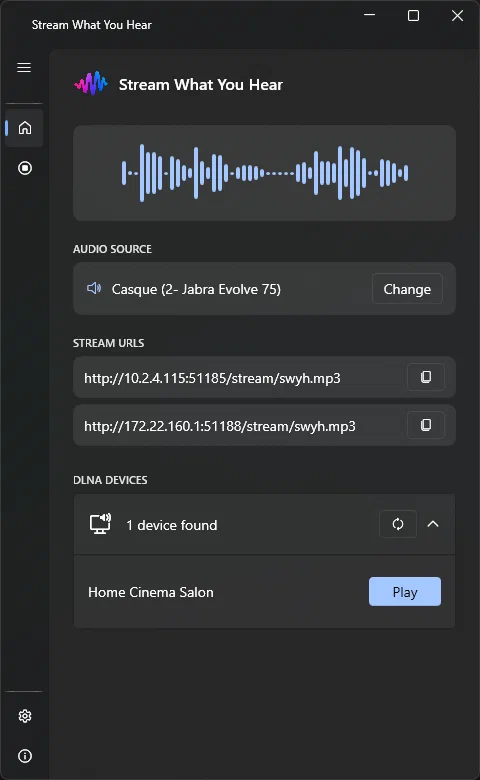
No renderer detected?
You can still copy one of the Stream URLs from SWYH and open it manually on another compatible device or media player.
Tip: Your PC and playback device must be connected to the same local network.